For students
One week with Maya in Year 8, from Monday's plan to Friday's goal. 2:38
School-led learning · Years 3 to 13
CORAL gives students hints, not answers. It gives teachers evidence, not verdicts. And it gives parents a clear view of their own children's work. In English and Arabic.
How CORAL is different
Most classroom AI is built to produce answers. CORAL is built around a few rules it never breaks, so that the learning stays with the student and the judgement stays with the teacher.
When a student is stuck, CORAL offers one step on their own numbers. It gives no final answers on assessed work. The next move is always theirs.
Interactive questions are marked by fixed rules. Written answers get a drafted score that quotes the student's words; the teacher checks it and saves it.
Plans explain their order, notes show where they came from, and the teacher's inbox shows the reason behind each proposal. Accept, edit or ignore.
CORAL never labels a child and never ranks or compares one student with another, for students, teachers or families.
CORAL works from the school's own records and checks again who is asking, and what they may see, on every request.
CORAL stays on school learning. If a student or a parent is worried about safety, it points them to a trusted adult or the school's staff straight away.
For students
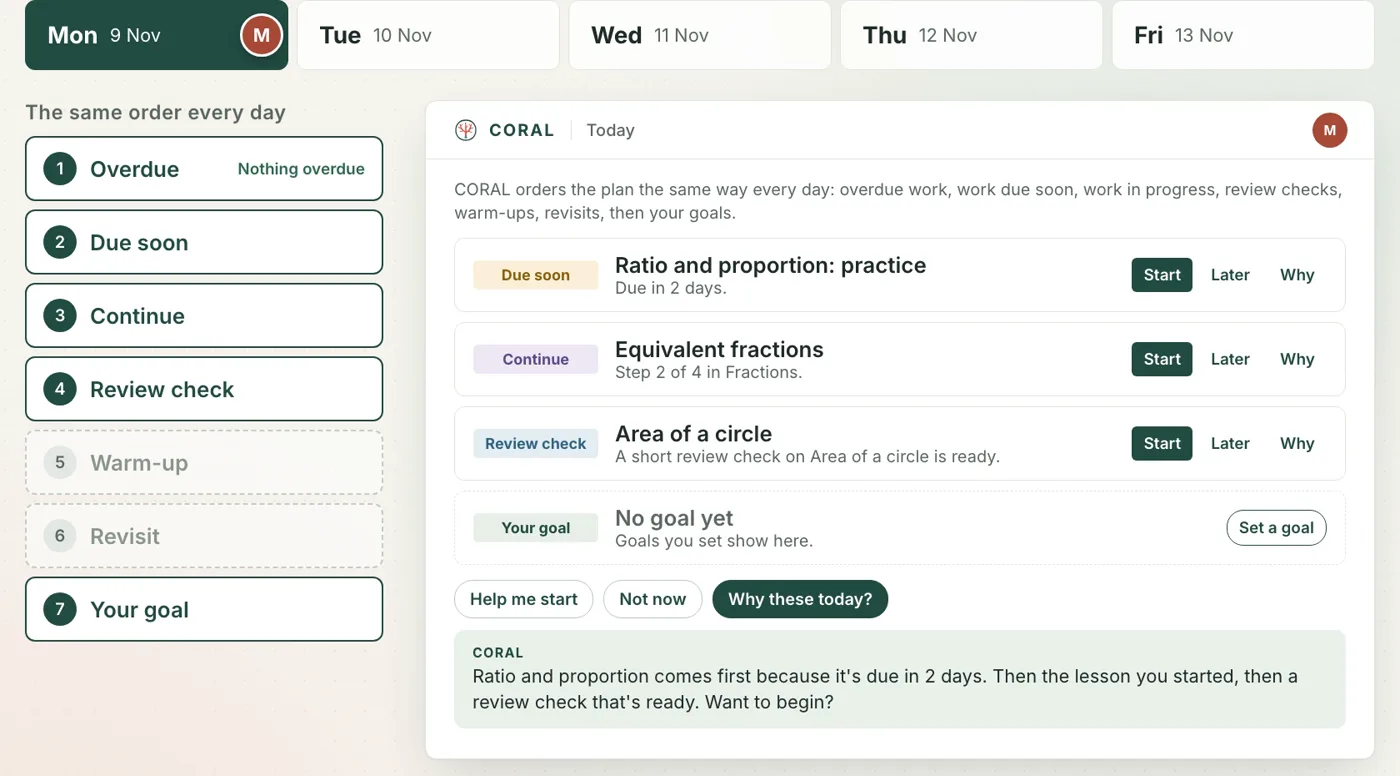
Every day the plan follows the same order: overdue work, work due soon, review checks, then the student's own goals. The AI explains the plan. It never reorders it.
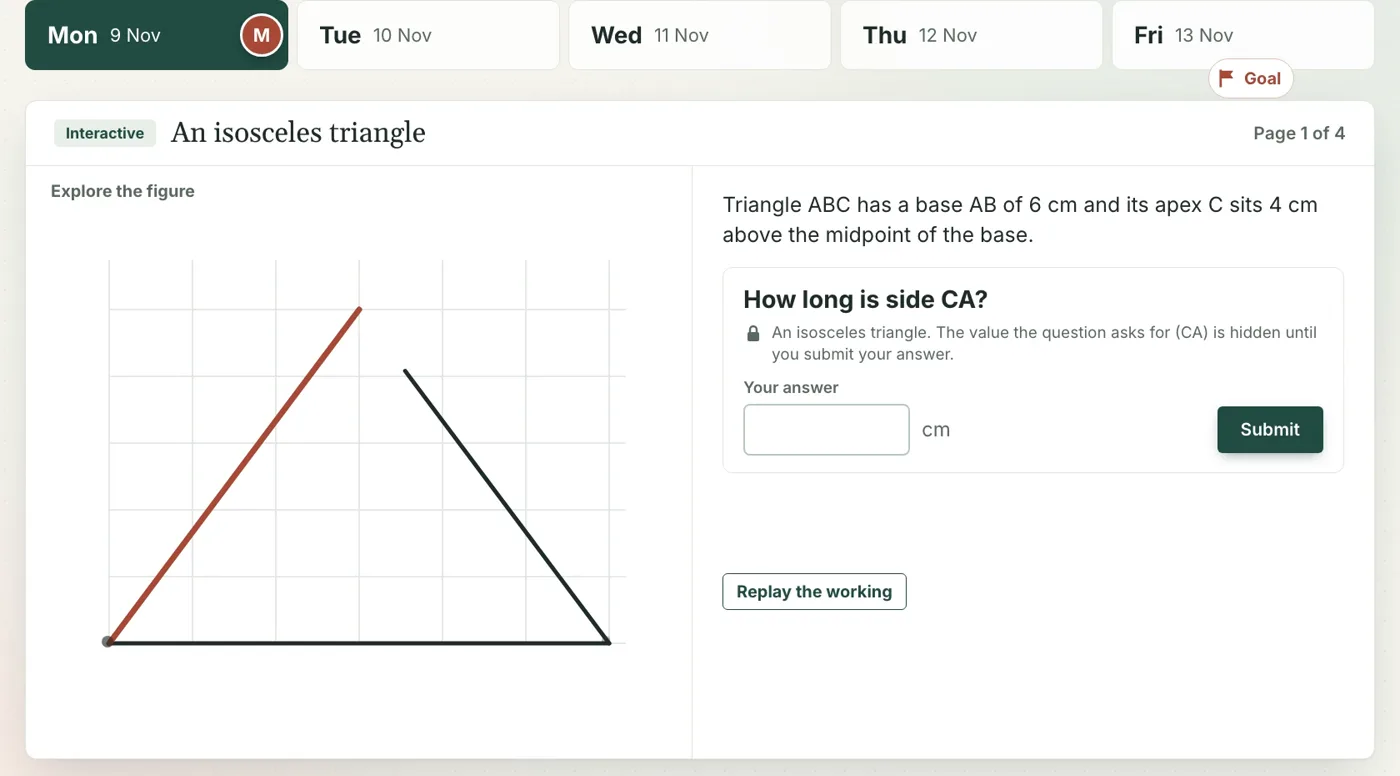
Chapters are interactive figures and simulations. The value a question asks for stays hidden until the student answers, and they can replay the working afterwards.
A question answered with hints comes back as a short review check. Get it right, and the next one waits twice as long, so knowledge lasts.
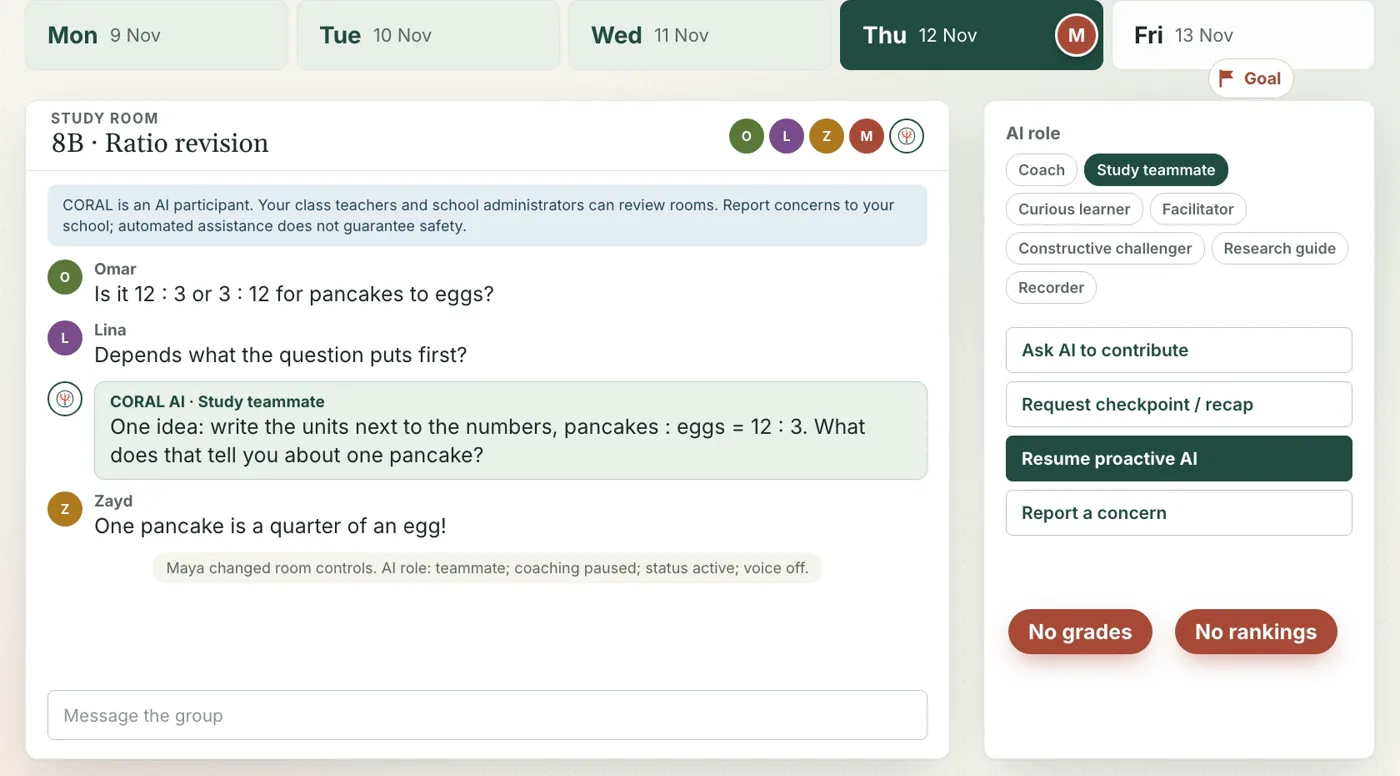
In a study room set up by the teacher, CORAL joins in the role the teacher picks, such as a teammate who offers one partial idea. It never grades or ranks, and anyone in the room can pause it.
CORAL notes what trips a student up and shows where each note came from. Answer that kind of question right twice in a row and the note fades. If a note isn't right, the student says "Not me".
The coach suggests possibilities and uses the student's interests only when they tick the box. Nothing is saved to a plan until the student has reviewed it.
For teachers
Written answers to score, students who need support, a question five of them got stuck on. Each item shows its reason and evidence, and nothing happens until the teacher accepts it.
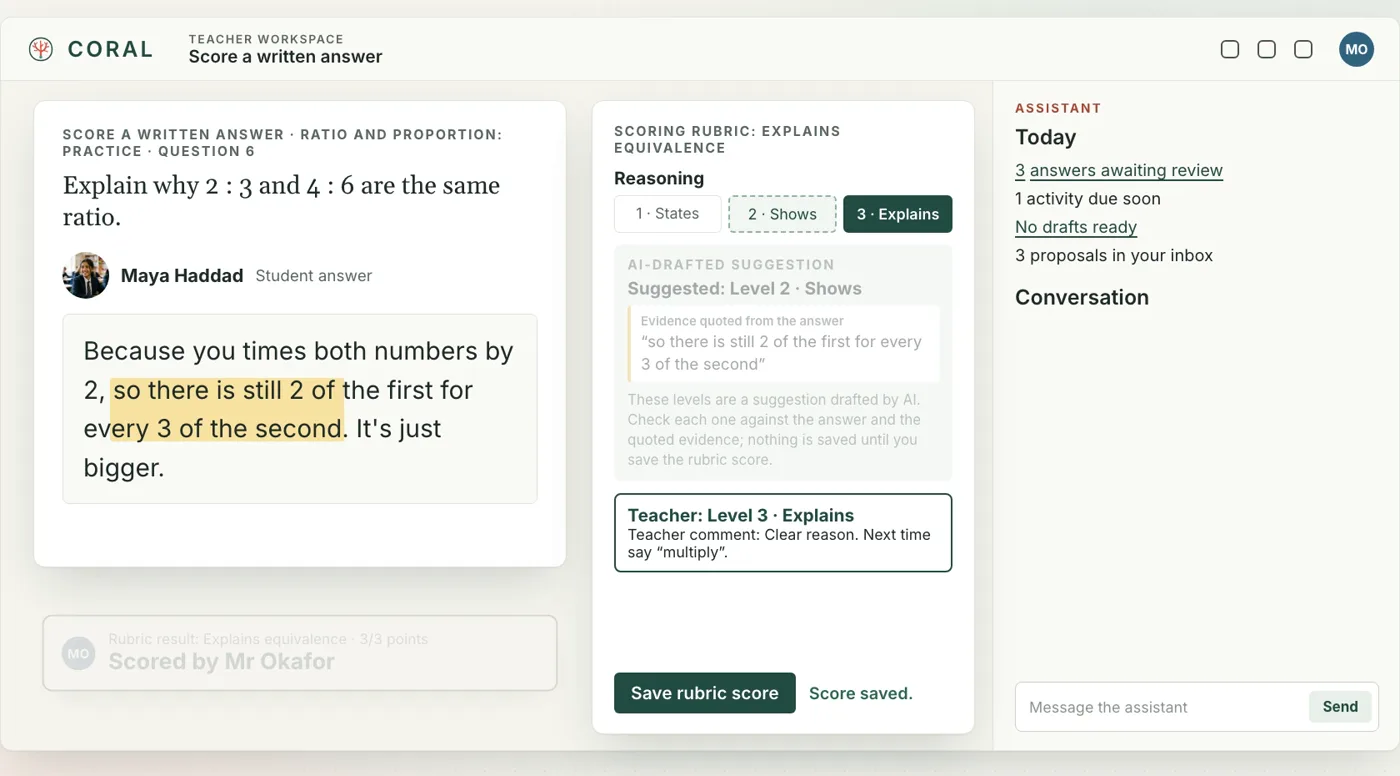
For a written answer, CORAL drafts a score against the teacher's rubric and highlights the words it is based on. The teacher checks it, changes it if they disagree, and saves. The score is theirs.
Ask which question tripped them up and the assistant opens the item analysis: the hardest question, the wrong answer most students chose, and who needed help.
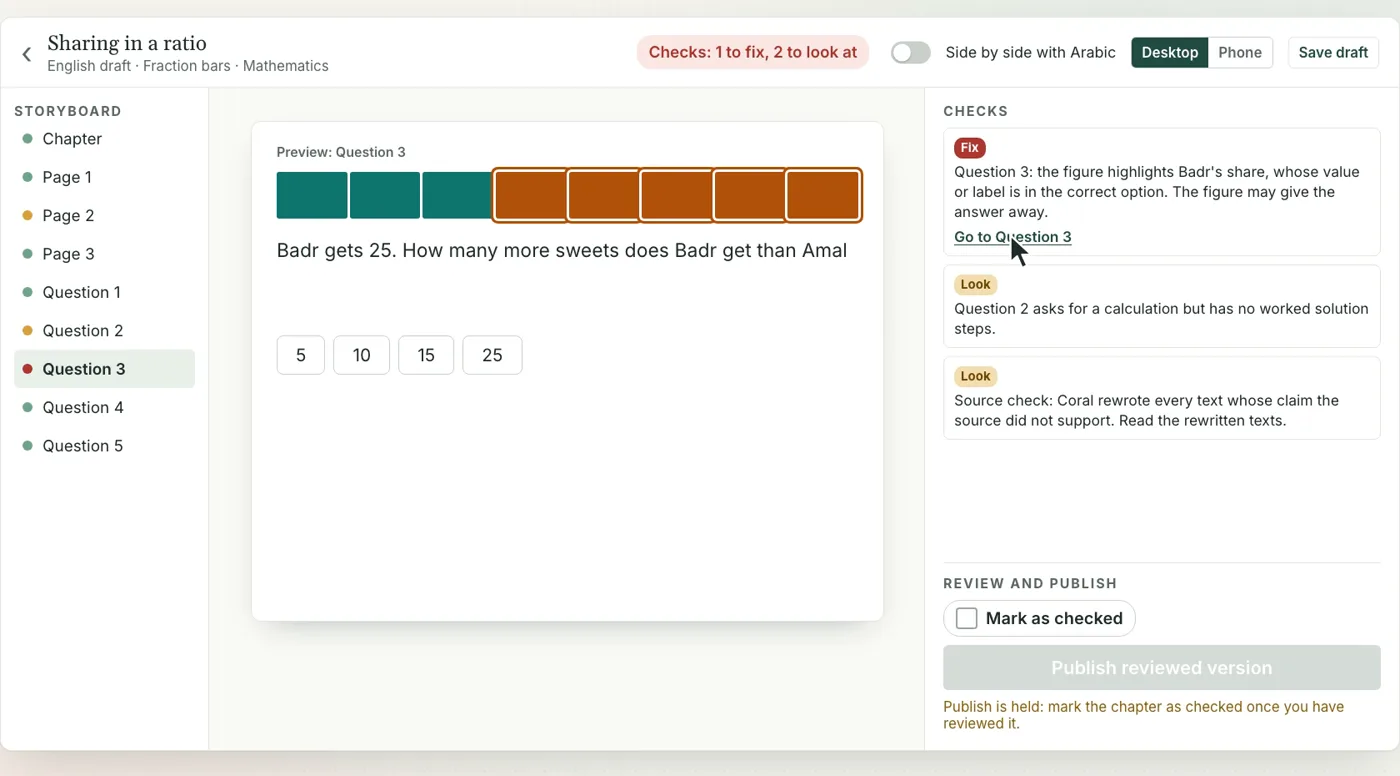
Ask for a chapter from the school's own source. CORAL picks a figure, writes the pages and checks every answer against the figure. A second pass checks each claim against the source and rewrites what it can't support.
In the chapter studio the teacher reads the checks, fixes what needs fixing, previews it on a phone and side by side with the Arabic. Nothing is published until they mark it as checked.
Computer science chapters include a code editor. Students' Python runs in a sandbox, and code questions are graded against hidden tests on a private, locked-down grader.
For parents
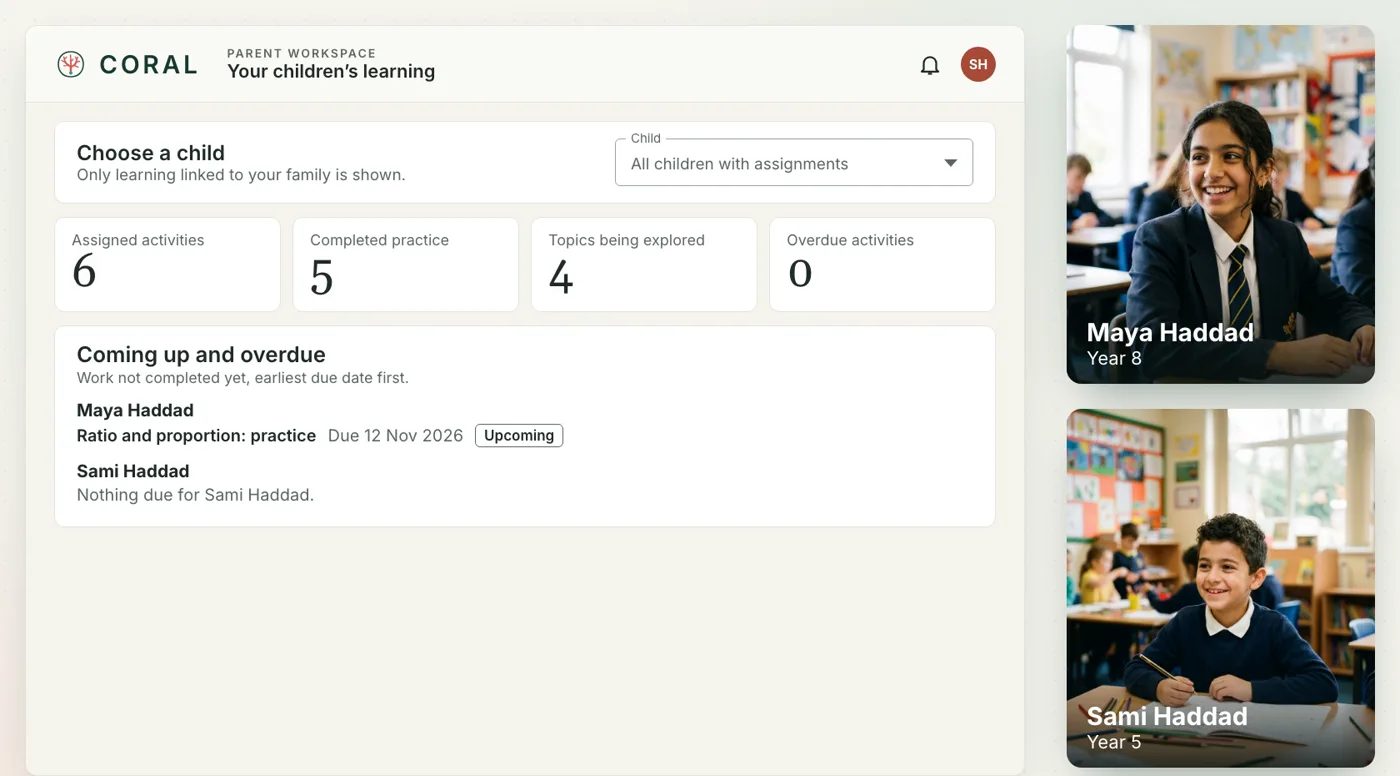
What's coming up, what's finished and how each objective is going, drawn from the school's own records. Every activity shows its due date, its score and how many hints were asked.
Off until a parent turns it on, in English or Arabic. Each note is about one child, and every point rests on a record listed underneath.
The family guide answers from your children's records alone. It never ranks or labels a child, and tutor conversations are never part of it.
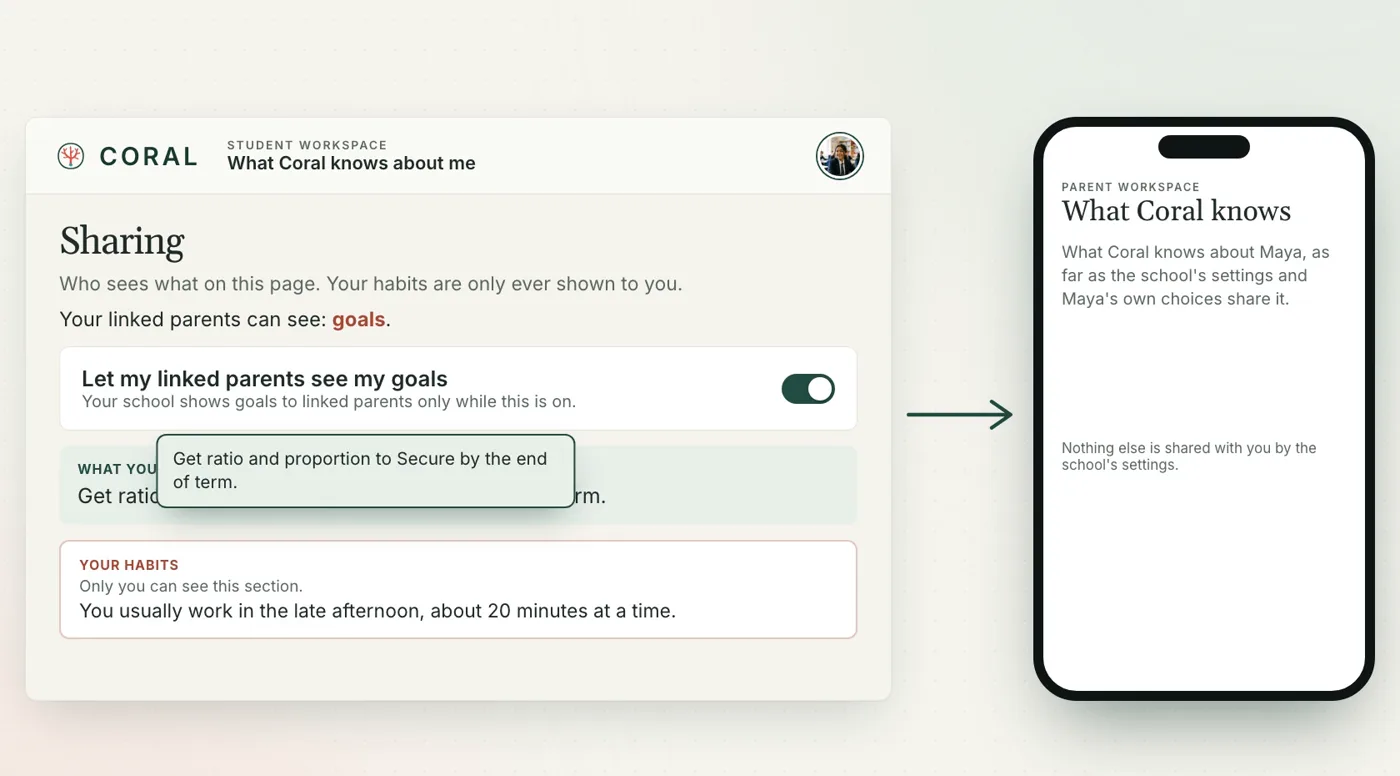
A student decides whether their goals are shared with their family. Their study habits are only ever shown to them.
Starter library
Every school starts from a reviewed library of interactive chapters, animated simulations and code exercises, in English and Arabic, each mapped to official curriculum codes.
Items in the library today, Years 3 to 13. The library keeps growing.
English and Arabic
When a student writes in Arabic, CORAL replies in Arabic, and the whole app turns right to left. Lessons, user guides and parents' notes come in both languages, with full tashkeel in the interface.
تَعَلُّمٌ يَنْمُو مَعَكَ
Built for schools
CORAL's own app decides who can see and change what. Its AI agents never grant access, scores or progress themselves; they re-check every request against the school's current records.
Behind every answer CORAL checks who is asking and which students are theirs. Records are read fresh for every question and treated as data, not commands.
Parents see only their own children. Weekly notes are off until switched on. Students control what their family sees, and their habits stay theirs.
Direct messages have safeguarding controls, study rooms can be paused by anyone in them, and worries about safety are sent to the right adult straight away.
Student code runs in an isolated interpreter. Graded code runs on a private grader with no network access, one fresh interpreter per test.
Generated chapters are checked against their figures and their sources, and stay drafts until a teacher reviews and publishes them.
Films
Three short films follow a student, a teacher and a parent through one school week.
One week with Maya in Year 8, from Monday's plan to Friday's goal. 2:38
Mr Okafor stops marking at nine at night, and starts tomorrow's lesson where the class really is. 2:24
Mrs Haddad sees how Maya and Sami are doing, and what to talk about at home. 2:21
We're working with a small group of pilot schools. Tell us about yours.
Email info@palmdine.ai